 Marketplace-ready script
Installation
A short browser install for the full release package.
This page stays deliberately brief: review the install shape, confirm the hosting checklist, and jump to the full guide when you want every operational detail.
Live installer proof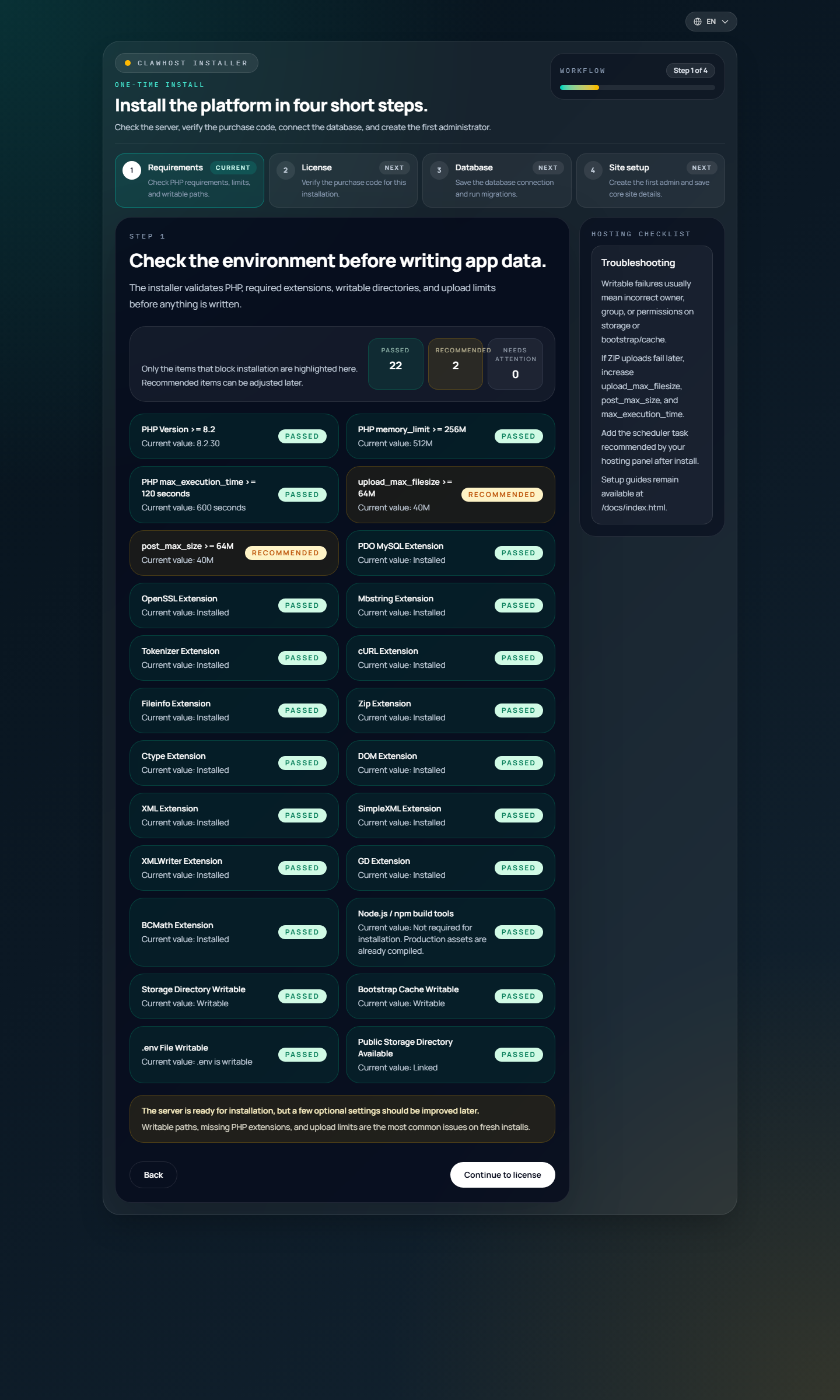
Hosting checklist
What should be ready before opening the installer.
- PHP 8.2+ with MySQL or MariaDB available
- Writable storage/, bootstrap/cache/, and .env during installation
- ZIP upload and extraction from the hosting panel
- Outbound HTTPS access to the activation endpoint
- At least one supported gateway for the billing currency you plan to sell in
Browser flow
The short path shown inside the installer.
- Open /install after extracting the ZIP
- Run the hosting checklist and requirement checks
- Verify the purchase code online on the activation step
- Save the database connection and run migrations
- Create the first administrator and site identity
- Lock the installer and continue into the dashboard
First launch
What should be configured before going live.
- Set branding, logo, footer, legal pages, and public links
- Configure mail delivery and send a real test message
- Connect Contabo, DNS, and at least one payment gateway
- Review plans, pricing, currencies, and storefront copy
- Add the scheduled tasks recommended in the full guide
Package notes
What the release package includes.
- Production assets ship precompiled in the release.
- Activation stores a signed receipt for later validation and update entitlement checks.
- The release package contains the full runnable app rather than a downloader stub.
- The full installation guide stays separate so this page can remain the short version.
Need the complete setup path?
Use the full guide for deployment notes, cron setup, and post-install operations.
This short page is meant to keep the install shape obvious. The linked guide covers the full operational checklist after the browser installer is finished.